FH2Mods is temporarily read-only. You can browse and download mods. Sign-in and changes will resume when the service recovers.
Mods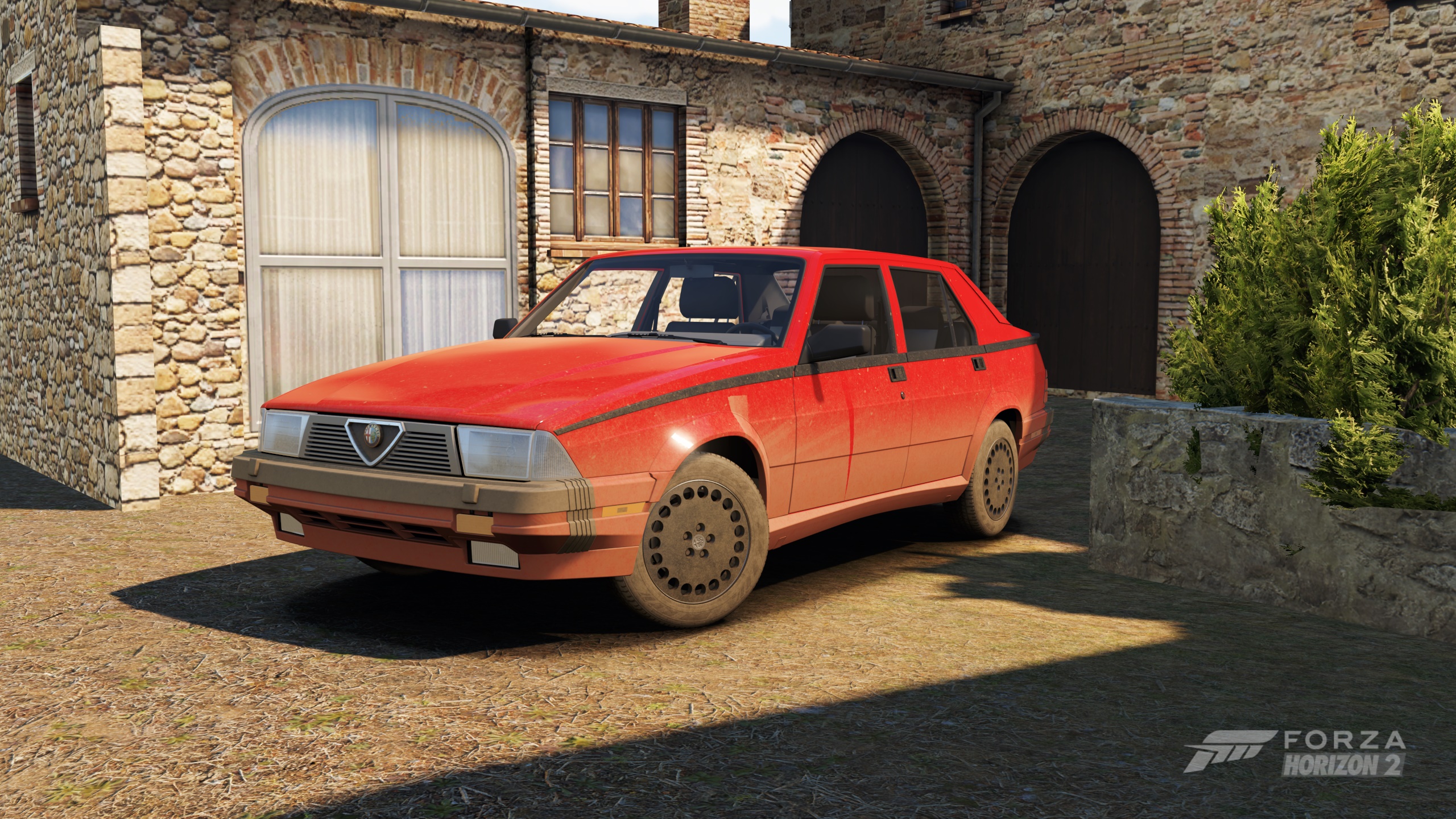
Make every drive leave a mark. Dirt and mud stay on your car for longer in Forza Horizon 2 (Azimuth), creating a more realistic and immersive driving experience.
Built on the FH2 Mod Platform. The mod is purely cosmetic and does not affect vehicle handling or physics.
•Permanent Dirt and Mud — retains accumulated dirt and mud instead of letting it disappear during driving.
•Reduced Dirt and Mud Fade (10x) — slows down the natural fading of dirt and mud while preserving normal accumulation.
•Live Settings — toggle both features in-game without restarting.
•Automatic Update Checks — checks for new releases on GitHub.
MODS > YOUR MODS > DirtPersistence
| Setting | Range | Default |
|---|---|---|
| Permanent Dirt and Mud | On / Off | On |
| Reduced Dirt and Mud Fade (10x) | On / Off | Off |
Settings are saved in fh2-mods\DirtPersistence.ini.
Dirt and mud coverage may reset when switching vehicles or loading a new session.
1. Make sure the FH2 Mod Platform is installed.
2. Download DirtPersistence.dll.
3. Place it inside the fh2-mods folder of your Azimuth installation.
4. Launch the game and enjoy a more realistic driving experience.
Source code, documentation and build instructions are available on GitHub:
[FuuX/DirtPersistence](https://github.com/FuuX/DirtPersistence)
---
Version: 1.0.0
FH2 support: Supported
Version
1.0.0
FH2 Mod Platform
Supported
Source
github
